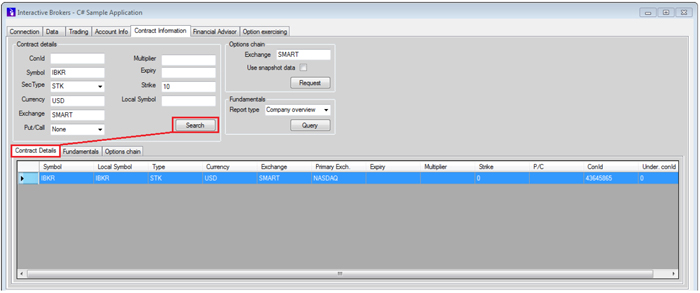
You can retrieve the full description of a contract using the reqContractDetails method. This method is useful for determining an instrument’s identifier (conId) or its trading hours. In IBSampleApp, fill in the Contract details fields on the Contract Information tab and then click the Search button. The contract details will appear on the Contract Details tab:
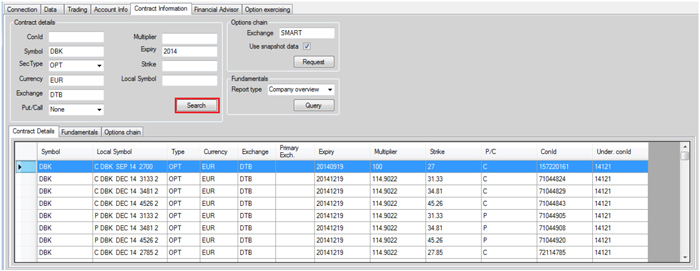
The reqContractDetails method is far more useful for retrieving multiple contracts that match the given description. Since the purpose of this method is not only to receive a single contract but all possible candidates, you can easily use it retrieve all available options or futures for a given underling. In IBSampleApp, fill in the Contract details AND Option chain fields on the Contract Information tab and then click the Search button. The complete option chain for the underlying will appear on the Contract Details tab:
Important: Due to the potentially high amount of contracts returned, this method may be subject to pacing violations.
The Request button in the Option chain section of the Contract Information tab uses the exact same function to request all options. The only difference is that it also performs a market data subscription for every received contract to provide a richer example.